Comparison
Compare two ways to research people before a sales meeting
Cirrus Insight is a comprehensive sales application that exists inside Gmail and Outlook: a Salesforce side panel, email and calendar sync, scheduling, email tracking, and a collection of meeting features. WhiteBridge for Salesforce does one thing. It researches a particular individual based on a Salesforce record before your meeting with them. That's why we didn't compare them as a whole.
It compares one workflow: researching the people you are about to meet. Looking for a Cirrus Insight alternative for sync, scheduling or the inbox sidebar? WhiteBridge isn't it, and we won't pretend it is. Looking to prep for an important meeting and wondering if a calendar digest or a brief made from a CRM record is best for your team? Read on.
How the two research workflows compare
Cirrus Insight Meeting AI begins with your calendar. Connect a Google or Office 365 calendar and it searches your calendar for your next events with at least one external attendee, matches those attendees to people and companies by email address and domain, and does the research for you. Cirrus describes research on the next 7 days of such events, summarizes it in a daily digest and lets you explore it in a dashboard with company and contact tabs and a chat. Research can also be started from the calendar sidebar or from an email.
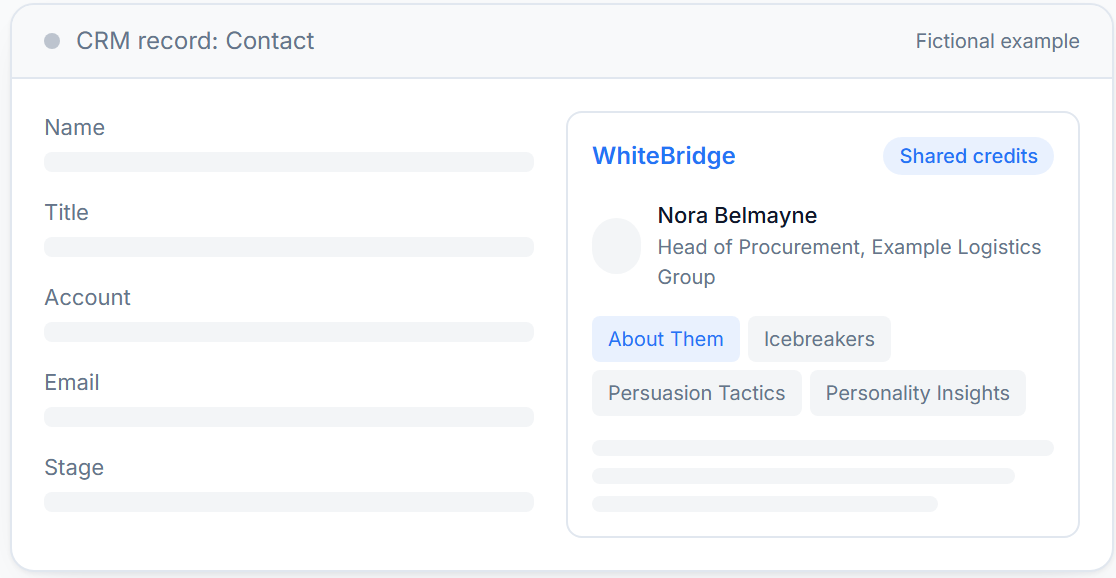
WhiteBridge bases this on a record. A rep opens a Lead, Contact or Opportunity, verifies the correct public profile and clicks once, requiring no research unless someone with a named user account asks for it. The brief is ready to go in 3-5 mins, saved to the record and the full report can be delivered as a PDF. It's all detailed on our Salesforce meeting preparation page.
Calendar-triggered: Cirrus Insight Meeting AI
Record-triggered: WhiteBridge for Salesforce
| WhiteBridge for Salesforce | Cirrus Insight Meeting AI | |
|---|---|---|
| Starts from | A Lead, Contact or Opportunity record, or another object the admin adds the panel to | Your connected Google or Office 365 calendar: events with at least one external attendee |
| Trigger | A named user clicks to generate a brief; nothing runs on its own | Automatic research of upcoming external meetings; manual start from the calendar sidebar or an email |
| Who is researched | One person per brief; on an Opportunity, each buying committee member one at a time | Meeting attendees (up to 10 per event) and their companies, matched by email address and domain |
| Sources | Public sources only; the brief states how many were checked and every claim traces to a source | Salesforce activity, public web data (footnoted) and third-party data vendors (not footnoted the same way) |
| Data sent | Name, work email and any public profile link stored on the record | Connected calendar events and attendee email addresses; Salesforce activity when Salesforce is the research source. Check with Cirrus Insight for details |
| Where the result lives | Saved on the Salesforce record; full report as PDF | Morning email digest and the Meeting AI dashboard (company and contact tabs, AI chat) |
| Rest of the product | Meeting research only | Also sidebar, email and calendar sync, scheduling, meeting capture, coaching and email tracking |
The sources also vary. WhiteBridge draws exclusively from public sources, indicates the number of sources it checked, and links each statement to a source. Cirrus reports that its research includes Salesforce activity, third-party data vendors, and public web sources. Public web sources are footnoted in the results, but data from the vendors is not footnoted the same way, and Cirrus doesn't specify or control those sources. Ask Cirrus Insight if your legal team wants to know the origin of each line before you purchase.
Where it lives also makes a difference to the rest of your team. You can find a WhiteBridge brief on the record in Salesforce from which it was created. Cirrus puts the research into the rep's email inbox and into the Meeting AI dashboard. We couldn't find an official page that says that the meeting briefing itself is written back to Salesforce, so you might want to ask Cirrus Insight if you need that.
Two teams, two different fits
A team with a full calendar of external calls
Imagine a customer success or inside sales team where reps have 6 to 10 external calls a day booked from Gmail or Outlook and no one is going to click into a CRM record before each. For those reps, the best part of a meeting AI product is a morning digest that arrives without a click, just like their inbox does, and that ability is integrated into Cirrus Insight Meeting AI. If they also want calendar sync, scheduling links and email tracking from one vendor, Cirrus offers them, and WhiteBridge doesn't.
A team preparing for a few meetings that decide a deal
Now imagine that account executive has a 7-person buying committee on 1 Opportunity and a call next week. She doesn't need a digest of every call. She wants to know how the finance lead and the head of procurement are forming an opinion, why they're forming it, and what they said publicly to date. WhiteBridge creates a brief for each person on the Opportunity, one-at-a-time, and puts it on the record where you're working the deal.
Coverage is not uniform. A person who infrequently speaks or publishes will receive a brief stating the footprint is limited as opposed to pages of guesses. That makes WhiteBridge a better choice for high-value, long-cycle accounts than for short-cycle, high-volume calling teams.
A few teams will employ both: Cirrus Insight for the inbox, calendar and daily grind, and WhiteBridge for prep work prior to the meetings which matter most. WhiteBridge will not be a replacement for the rest of Cirrus Insight, so it really comes down to finances and culture, rather than a migration.
Installation and pricing
Cirrus Insight: Meeting AI can be enabled by linking a Gmail or Office 365 calendar with the Meeting AI site and a Cirrus Insight account. The Meeting AI FAQ states that it has no Salesforce dependency, and Salesforce activity is included in the research when it is connected. Cirrus Insight has an app on the Salesforce AppExchange, Cirrus Insight for Gmail, which says it supports all editions of Salesforce.
On the Cirrus pricing page, each capability is priced per user per month. Meeting prep, described on the page as a brief before every external meeting, is in Meeting Lifecycle at $35 per user per month, along with recaps, follow-up drafts and call review. The AppExchange listing pricing is from $14 per user per month. As these 2 official pages list different prices, verify with Cirrus Insight which capabilities and price apply to meeting research.
WhiteBridge: no AppExchange listing yet, Salesforce security review in progress, so WhiteBridge installs the package into your org with your Salesforce admin. Plans share a single credit pool across the org with no per-seat licences: Pilot is $120 a month for 50 briefs, Professional $299 for 140, Enterprise $470 for 230; discounts for annual billing (20% off) and the first 10 briefs free.
Questions
Is WhiteBridge a Cirrus Insight alternative?
Just a single job. WhiteBridge researches a person ahead of a meeting, beginning with a Salesforce record. It doesn't sync email or calendars, schedule meetings, track opens, record calls or write recaps. If you're switching away from Cirrus Insight entirely, you need a tool that handles those functions, and WhiteBridge can work alongside that for meeting research.
Does Cirrus Insight Meeting AI need Salesforce?
No. According to its FAQ, Meeting AI does not depend on Salesforce and the listed requirements are a Cirrus Insight account and a Google or Microsoft calendar connection. When Salesforce is connected, its activity is factored into the research. WhiteBridge is a Salesforce panel, which means it exists within Salesforce, on Lead, Contact and Opportunity pages by default but can be added to any object by your Salesforce admin.
Which one runs on its own?
Cirrus automatically researches upcoming external meetings, and you may also initiate manual research. WhiteBridge never acts on its own: all briefs are requested by a named user. If you want to make research occur without an explicit request, you'll want to stick to the calendar model.
What data does each one use?
WhiteBridge only receives each person's name, work email and any public profile link listed on their record, and it accesses only public sources. Cirrus learns of meeting attendees via their email addresses and domains and integrates Salesforce activity with public web sources and third-party data vendors. Ask each vendor about data processing terms; WhiteBridge can provide a DPA for teams who use it to send CRM contacts.
Can I try WhiteBridge first?
Yes. Every plan begins with 10 free briefs and a failed generation is never charged. This allows you to trial it on the people you're actually meeting this month and compare the briefs against the research your reps already do manually.
See a brief on a Salesforce record
If meeting research is your priority, schedule a WhiteBridge for Salesforce demo. We'll display the panel on a record, take you through a sample brief for a fictional buying committee, and answer all your questions about data handling and setup.