
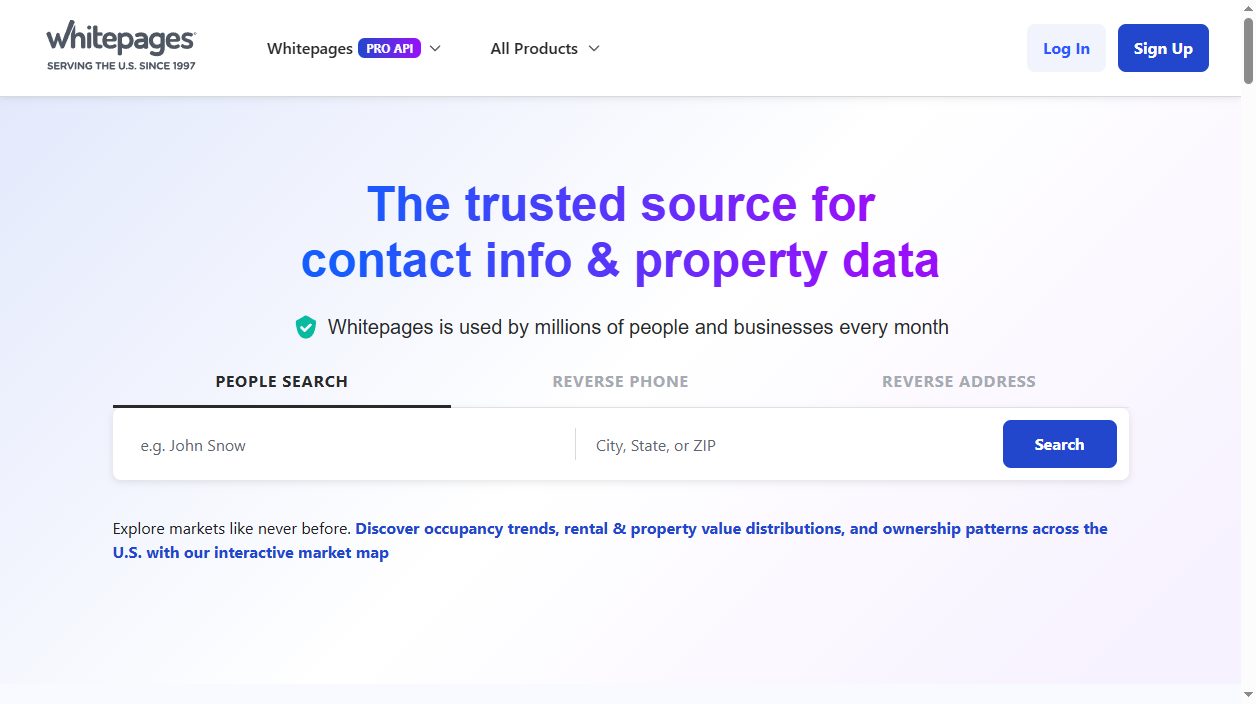
Data brokers are companies that collect and sell your personal information, and auditing these sites is an essential step in anyone's digital footprint analysis, especially if you are conducting it for the first time.
Whitepages is one of the top people-search sites in the US. It displays names, current and former addresses, phone numbers, age, relatives and even background report teasers, all extracted from various public and commercial data sources. If you ever lived anywhere in the US, Whitepages most likely has a record for you.
The positive: Whitepages has an opt-out procedure that you can do yourself, for free. The negative: the process is a pain in the neck-phone verification, includes only the free Whitepages page (Whitepages Premium has its own process), and your info can return every couple of weeks. We show exactly how to remove yourself here and how to keep your info off the site indefinitely.
What information does Whitepages publish about you?
- Full name, aliases and age
- Current and previous home addresses
- Landline and mobile phone numbers
- Names of relatives and associates
- Property records and household data
- Background check teasers (liens, court records) via Whitepages Premium
Skip the manual work
Don’t want to fill out forms and answer verification calls? AntiBridge removes your data from Whitepages and 150+ other brokers automatically.
Start automatic removalHow to opt out of Whitepages: step by step
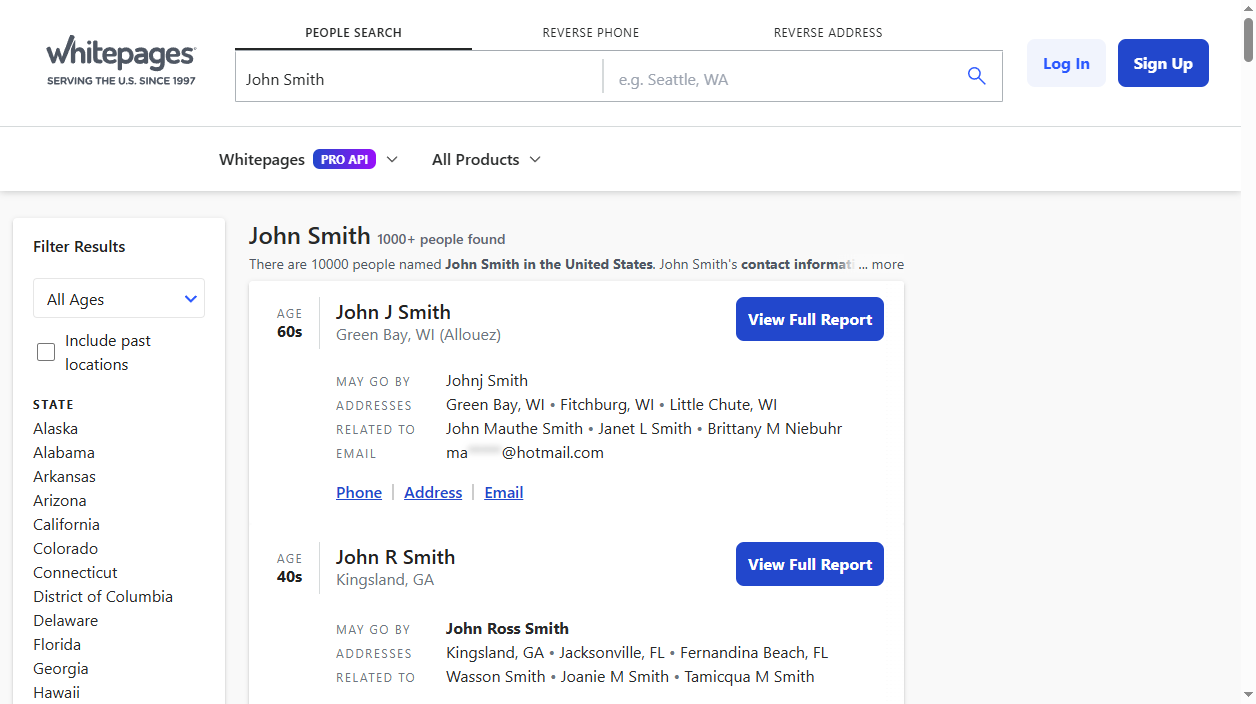
1Find your listing
Visit whitepages.com and find your First name, Last name, city and state. Open the profile matching your name and copy the entire URL that is written in the address bar of your web browser. For example, it should look like, http://www.whitepages.com/name/John-Doe/Seattle-WA/xyz. If there are several profiles, then copy each profile's URL(Old address, Spelling mistake etc..).
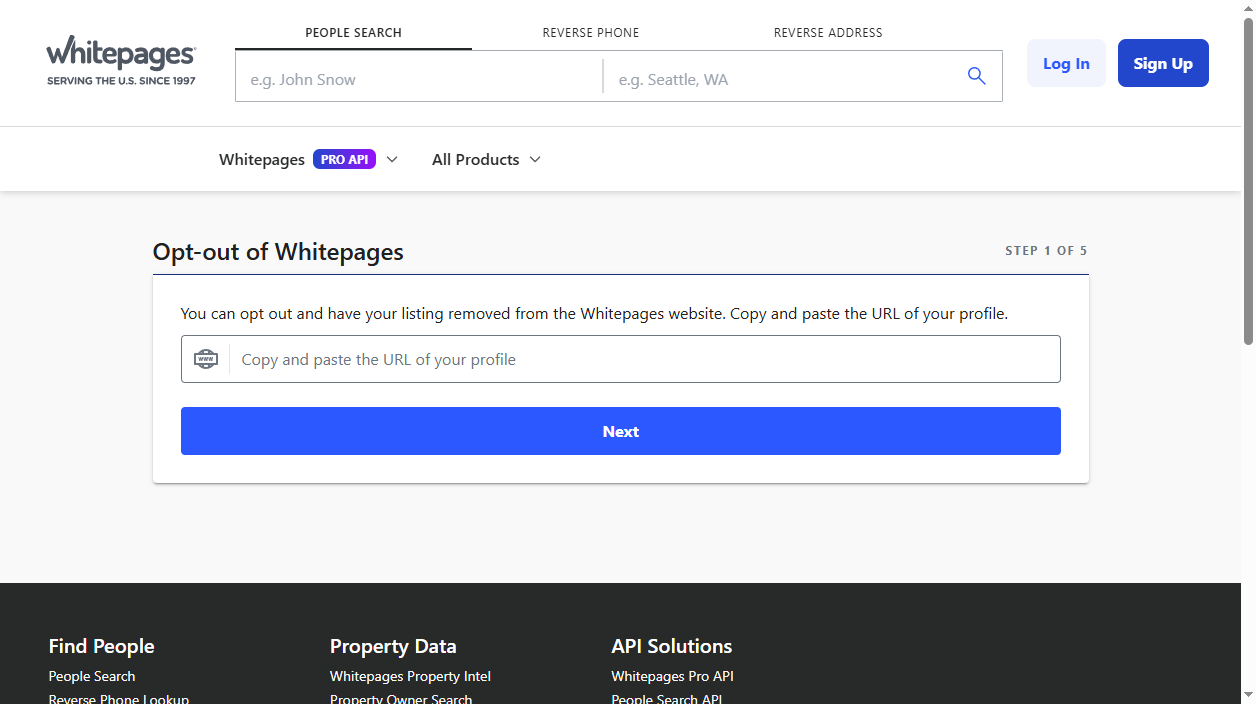
2Open the suppression request page
Go to whitepages.com/suppression-requests. This is the legitimate removal form for the free site. Place the profile URL you saved in Step 1 and select Next.
3Confirm the record is yours
Whitepages provides a sample of the listing. Verify it is yours and select the drop down below for why you want to remove it (any reason is fine-"I just want to keep my information private" is okay).
4Verify with an automated phone call
Enter a phone number where you can be reached. Whitepages will make an automatic verification phone call. Pick up, and key in the verification code provided here. Here's where most users slip up: the call happens within a minute, keep this page here and your phone available.
5Wait for the removal to process
Once verified the listing will generally be taken down within 24hrs; Whitepages states a maximum of 7 days. Once you have waited a day search for you again and make sure the profile is gone, do this for the other profiles you found in Step 1.
Quick reference
| Site | Opt-out method | Removal time | Cost |
|---|---|---|---|
| whitepages.com | Online form + phone verification | 24 hours - 7 days | Free |
What happens after you opt out
Whitepages refreshes its directory from public data and data-broker feeds all the time. When you relocate, switch phone numbers, or when a new public record becomes available, a new listing can be created. Only the record you removed is suppressed.
That's why many people consider having an Whitepages contact information removed an ongoing task – check back every couple of months, or employ a third-party service that does the monitoring and re-submits removals.
Tired of opting out one site at a time?
Data brokers make it easy for scammers, stalkers, and identity thieves to find you. Removing yourself from 150+ sites manually takes weeks – and your information can reappear. AntiBridge handles the removals for you and keeps watch so your privacy stays protected.
Remove my info automaticallyFrequently asked questions
Is the Whitepages opt-out free?
Yes. The suppression form above at whitepages.com/suppression-requests is entirely free. You never have to pay Whitepages to voluntarily delist your own listings from whitepages.com.
Why is my profile still showing after I opted out?
Removals can be up to 7 days, and Google may cache the listing for even longer. If the listing is still live after a week, submit your request again. The most frequent reason for failure is failed phone verification.
Does opting out of Whitepages remove me from Whitepages Premium?
No. Not automatically. Whitepages Premium (background reports) needs its own request. You have to either call Whitepages support or use the same suppression tool again, but this time submit your Premium listing URL instead.
Will my information come back?
It is possible. Whitepages constantly pulls in fresh public data, so when you relocate or switch numbers, a new listing can show up. Regular rechecks, or an auto-monitor such as AntiBridge will ensure it stays off forever.


