
Data brokers are companies that collect and sell your personal information, and auditing these sites is an essential step in anyone's digital footprint analysis, especially if you are conducting it for the first time.
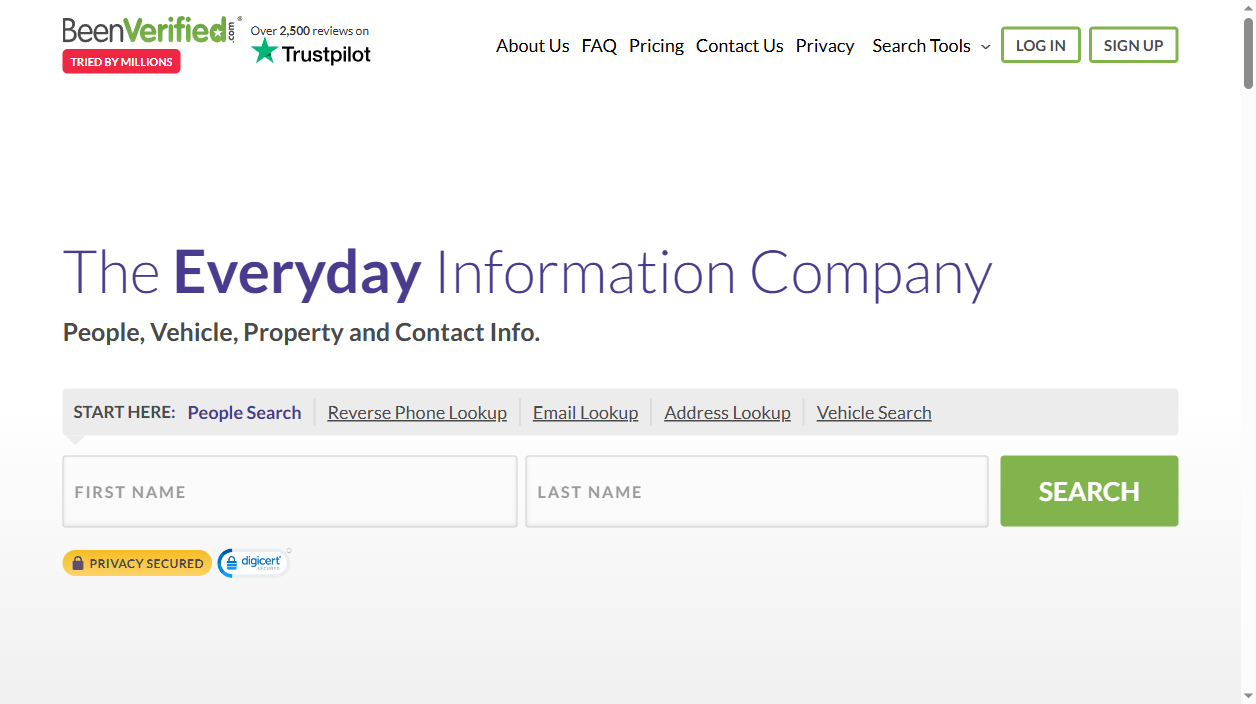
BeenVerified is one of the largest free people-search sites in the US. It gathers names, present and former addresses, phone numbers, email addresses, associates, and public-record data into a profile any user can find. Due to coming from public records and commercial data brokers, the vast majority of US citizens seem to have a listing regardless of ever signing up.
BeenVerified only requires an email address to validate removing oneself using the self service opt out. No phone call required and no cost involved. Here is a step-by-step tutorial of the removal process as well as a detailed explanation of why BeenVerified sister sites are not included in the removal request and how to prevent the data from being listed on it once removed.
What information does BeenVerified publish about you?
- Full name, aliases and age
- Current and previous home addresses
- Landline and mobile phone numbers
- Email addresses and usernames
- Relatives, associates and neighbors
- Public records: property, court and criminal data teasers
Skip the manual work
Don’t want to fill out forms and answer verification calls? AntiBridge removes your data from BeenVerified and 150+ other brokers automatically.
Start automatic removalHow to opt out of BeenVerified: step by step
1Find your listing
Go to the beenverified.com/app/optout/search page, also available as a link in the footer of any beenverified page under Do Not Sell or Share My Personal Information. Fill in your first name last name state then click Search. Read through the listings to find your profile with the matching age and city.
2Select your profile and proceed
Click Proceed to Opt Out corresponding to your listing. Please verify the age and location and make sure you select the good one. (There are a lot of profiles return for the common names).
3Enter your email and pass the CAPTCHA
Enter a valid E-mail address and click on the CAPCHA. BeenVerified takes your E-mail solely to verify that the order is coming from a human, not a program. Any valid secondary address or temporary address will do, just make sure you can access it.
4Verify the request from your inbox
The email from BeenVerified arrives in a few minutes. Open your email & click on "Verify Opt-Out" (if it doesn't come it may go to spam folder). The removal is not complete until you click that link.
5Confirm the listing is gone
Usually it takes 24-72 hours to be removed. Check your name on beenverified.com after few days to see if the record is gone from there. Save the confirmation email to have a record of removing, in case it appears again in the future.
Quick reference
| Site | Opt-out method | Removal time | Cost |
|---|---|---|---|
| beenverified.com | Online form + email verification | 24-72 hours | Free |
What happens after you opt out
BeenVerified updates its profiles continuously using a combination of public records and partner data feeds. If you've moved, changed a phone number, or a new public record has been filed, they can reappear even if you previously unsubscribed. The suppression only occurs on the profile that you've unsubscribed from.
BeenVerified is part of The Lifetime Value Co, who also owns PeopleLooker, NeighborWho, Ownerly, PeopleSmart and NumberGuru. In contrast to some broker groups, these sites do not share one central portal of suppression, meaning each has their own individual opt-out form which you need to fill out each time. Due to this, many opt-out every couple months or utilize an automated removal service AntiBridge which monitors the group of sites and re-applies your removal information for you.
Tired of opting out one site at a time?
Data brokers make it easy for scammers, stalkers, and identity thieves to find you. Removing yourself from 150+ sites manually takes weeks – and your information can reappear. AntiBridge handles the removals for you and keeps watch so your privacy stays protected.
Remove my info automaticallyFrequently asked questions
Is the BeenVerified opt-out free?
Yes. It's totally free to opt out of BeenVerified databases. To do it yourself, all you need to do is fill out the opt-out form at beenverified.com/app/optout/search - no account is needed.
Does opting out of BeenVerified also cover PeopleLooker, NeighborWho and Ownerly?
No. Those websites are under the same umbrella company, The Lifetime Value Co, but these companies maintain the power to keep their own database, and their own opt-out form. You will need to request to be removed from each site.
Why is my profile still showing after I opted out?
The maximum duration for removals can be 72 hours but Google could retain a cached copy indefinitely. If the profile is still showing after 3 days, double check that you actually clicked the Verify Opt-Out link in the message you received before submitting your request again.
Will my information come back?
Yes. BeenVerified is constantly scouring fresh public records database so when you move or change number, a new profile may pop up. Regular checks and an auto-tracking service, like AntiBridge, will help keep it down in the long term.


