
Data brokers are companies that collect and sell your personal information, and auditing these sites is an essential step in anyone's digital footprint analysis, especially if you are conducting it for the first time.
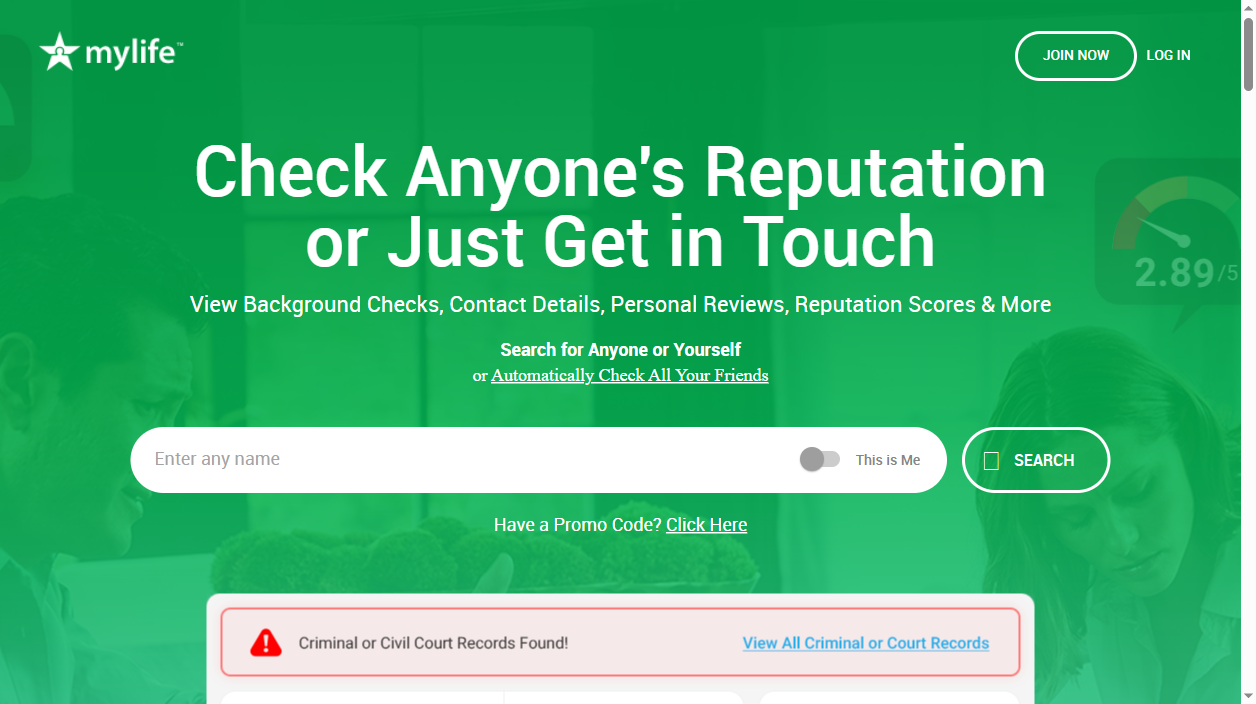
MyLife, a US-based reputation website and people-search engine. Draws data from various sources-including public records, court and criminal records, marketing and social media databases-to produce a profile. This online-based "MyLife Reputation Score" (MLRS) tends to aggressively appear alongside one's name bearing hints of supposed history and motivates one to sign up to access it in full.
MyLife also offers a free opt out, but it is heavily footnoted and there is not an obvious link or button to do so on the listing. The most dependable way is to use their Do Not Sell My Personal Information form that requires email verification with an email request to member support as a backup. Below is how to do both, and what to do if the listing reappears.
What information does MyLife publish about you?
- Full name, aliases and age
- Current and past home addresses
- Phone numbers and email addresses
- Relatives, associates and neighbors
- The MyLife Reputation Score and background-report teasers
- References to court, criminal and financial records
Skip the manual work
Don’t want to fill out forms and answer verification calls? AntiBridge removes your data from MyLife and 150+ other brokers automatically.
Start automatic removalHow to opt out of MyLife: step by step
1Find your MyLife listing
Go to mylife.com and do a search for your name, remember to put city and state if you have a common name so we know it's you. If you find your name click on the profile that looks most like you, high light the entire URL at the top of the page, click copy. This is the one you will send or use when filling out the form so that we know it is you.
2Open the Do Not Sell form
Below the bottom of homepage, MyLife has a footer link Do Not Sell My Personal Information which you can access. Clicking it takes you to the privacy request form, the public self-service opt-out. MyLife does not link to this from your profile so you have to use the footer link.
3Verify your email address
Enter your email address here, then hit Submit. MyLife will send you an email containing a code. Paste this code back into the form and click Confirm Code to unlock the full request. If the code doesn't appear, see if it's gone in your spam folder.
4Complete and submit the request
After the code has been checked it should open up a new form. Fill out your personal information, also the name and profile details/URL that you submitted in Step 1, and submit again. Keep the confirmation page or e-mail for proof of submission date.
5Verify the profile is gone
MyLife (formerly known as Wink) officially allows 15 business days to process a request. In most cases individual removals (phone numbers, address, etc.) are completed within 1-2 business days. Repeat search for yourself after a week to see if profile and it's Reputation Score are gone and submit file again if still live.
Quick reference
| Site | Opt-out method | Removal time | Cost |
|---|---|---|---|
| mylife.com | Online form + email verification (or email request) | 24 hours - 15 business days | Free |
What happens after you opt out
Your MyLife opt-out is only for the profile you just removed. MyLife is constantly ingesting new information from public sources and other brokerages. From one day to the next, one new listing and Reputation Score may be created after you move, change your phone number, there is a new filing for you, and the previous opt-out you did may not be applicable anymore.
MyLife tends to be quite stubborn when it comes to profile rebuilding, so be prepared to check it multiple times, or use a removal service like AntiBridge that will monitor it regularly and re-submit your opt-outs.
Tired of opting out one site at a time?
Data brokers make it easy for scammers, stalkers, and identity thieves to find you. Removing yourself from 150+ sites manually takes weeks – and your information can reappear. AntiBridge handles the removals for you and keeps watch so your privacy stays protected.
Remove my info automaticallyFrequently asked questions
Is the MyLife opt-out free?
Yes. MyLife's Do Not Sell My Personal Information form and the membersupport@mylife.com email path are both absolutely free. Neither required paying money or a MyLife membership to remove your own profile from the site, regardless of how insipidly opaque MyLife makes paying for a subscription.
What is the MyLife Reputation Score and can I remove it?
The Reputation Score is a value that MyLife applies to your name in an effort to suggest that there could be some financial incentive to examining it. It is removed when your profile is taken offline and the opt-out is performed so it does not need to be removed separately.
Why is my MyLife profile still showing after I opted out?
MyLife may take up to 15 business days to process, while search engines will cache pages for a longer period of time. In the event your listing is still live after 15 business days, verify that you received the email code and then re-submit your form along with the email code. The most common mistake is not sending the verification code.
Will my information come back to MyLife?
Yes, MyLife can add profiles back in at any point as they emerge from scrapes or different data broker inputs so a profile can reappear once you have moved or when a new file is issued. AntiBridge offers automated rechecks that can track this over time.


