

There is no secret that every online interaction leaves a trace, and each action, to some extent, impacts your privacy, security, and online reputation. Learning how to check your digital footprint and how to find your digital footprint is one of the essential skills in 2026, so let’s dive in.
Why 'Googling yourself' isn't enough
A simple Google search for your digital footprint is insufficient. It could be a great starting point, but results that are filtered or personalized miss key details (data brokers, long-forgotten social media accounts, breach details). A good, well-structured digital footprint analysis requires an approach that uncovers all hidden traces.
If you're wondering how to check your digital footprint, this guide walks through the exact steps, tools, and checks you can perform for free.
Step 1: Proper Google search
"Googling" yourself may seem easy and straightforward, but a proper Google search is a little different and uses specific operators. For a more effective Google search, use advanced operators:
- "Your Name" for exact phrases
- site:website.com "Your Name" to restrict searches
- keyword to exclude terms
- intitle:"Your Name" for titles
- inurl:"Your Name" for URLs
Also, conduct a Google Image search using the built-in functionality for old profile pictures or forgotten images, cross-referencing findings with other search engines.
Step 2: Bing, DuckDuckGo, Yandex cross-check
Once you properly search yourself up on Google, remember that cross-checking is equally important. Navigate to another search engine, for example, Bing, DuckDuckGo, Yandex, and search yourself up again.
Each of these search engines uses different indexing, which means that some unique results may be revealed. DuckDuckGo, for example, provides unbiased search results; Yandex is great for non-English contexts; and Bing offers alternative results.
Step 3: Data broker audit
Data brokers are companies that collect and sell your personal information, and auditing these sites is an essential step in anyone's digital footprint analysis, especially if you are conducting it for the first time. We have outlined a list of 15 data broker sites to consider checking and opting out from:
- Whitepages
- Spokeo
- BeenVerified / PeopleLooker / NeighborWho / Ownerly
- Radaris
- TruthFinder
- Intelius / PeopleFinders / US Search
- MyLife
- FastPeopleSearch
- Addresses.com / AnyWho / Switchboard
- PeopleFinder
- Acxiom
- LexisNexis
- Epsilon
- Oracle Data Cloud (BlueKai)
- Verisk Marketing Solutions
Step 4: Social media old accounts (username hunt)
It is always important to remember that social media accounts you have forgotten also contribute to your digital footprint. A step called the "username hunt" can help you uncover all the accounts you forgot. Try to remember all the usernames you may have used, and use a tool to scan for them.
- WhatsMyName Web: a free web-based tool that searches for a specified username across over 1500 websites and platforms, providing direct links.
- Namechk: a web-based username and domain availability checker.
- Lullar: A free people search and username lookup tool that searches across 148+ social media platforms, including Instagram, TikTok, Facebook, and LinkedIn.
- Sherlock (Python CLI tool): For those comfortable with command-line interfaces, Sherlock hunts down social media accounts by username across 400+ social networks.
Once you find your forgotten social media accounts, consider what they contribute to your digital footprint. If you don't want these accounts to show up, set their privacy to private, and if you don't ever want anyone to find them, opt for deletion.
Step 5: Breach check
It is no secret that data breaches happen often, and during them, personal information is exposed. Data breaches are unfortunately common, and your personal information might have been exposed in one without your knowledge. This is where services like HaveIBeenPwned come in.
HaveIBeenPwned (HIBP) is a completely free tool that helps you learn about compromised personal information in data breaches (like your email or phone number). The data is aggregated from numerous breaches, making it a central hub for breach notifications. All you need to do is enter your phone number or email address, and HIBP will show which services were affected and whether your personal information has appeared in any known breaches.
HaveIBeenPwned is an excellent tool to check if your information has been breached but there are some other tools as well that can offer similar or the same:
- Firefox Monitor is powered by HIBP, and offers an additional feature of notifying you about future breaches.
- Google Password Manager (Password Checkup) helps you identify whether the passwords you have saved in Google Chrome have been leaked or compromised.
- Identity Theft Protection Services in general (e.g., Aura, LifeLock) often include dark web monitoring and breach alerts. These services are usually paid, but they offer proactive monitoring of your sensitive information.
Step 6: Public records check
Public records are the part of information that is not confidential and can be used for public inspection. Often public records may be overlooked, although they form a significant part of your digital footprint, and with the right tools, anyone can access that information.
Checking public records can be a bit more involved, as the availability and accessibility vary by jurisdiction. However, several online resources can help you in this process:
- BRB Public Records is a portal links to public records sources across the United States. It's a good starting point.
- Government Open Data Portals in general provide a functionality to search for publicly available information.
- Specialized Public Records Search Engines can include sites for property records, court/criminal records, voter records, and even birth and death records. Be aware that some of these services may charge a fee for detailed reports.
When reviewing public records, pay attention to any inaccuracies or outdated information. While removing information from official public records can be challenging, understanding what's publicly available is the first step in managing your overall digital footprint.
Step 7: AI digital-footprint scan (the shortcut)
Manually checking your digital footprint across various platforms can be time-consuming and complex, and that is why using AI offers a significant shortcut. These tools leverage artificial intelligence and machine learning to automate the process, scanning vast amounts of data to identify your online presence more efficiently.
While a relatively new and evolving field, several platforms are emerging that offer AI-driven free digital footprint scanner capabilities:
- FootprintIQ: This ethical digital footprint scanner searches usernames, emails, and phone numbers across 500+ platforms, including breach databases, and provides a confidence score for its findings.
- Aura: Aura offers a free digital footprint checker that scans for your personal information across multiple sources, providing a more complete picture of your digital presence.
Or run all 6 steps in 30 seconds with Whitebridge.ai
While these tools can offer time-efficient solutions, it is important to remember that they may not catch every single trace of your digital footprint. Combine manual search with AI-powered tools for the best and most accurate results.
What to do with the findings
After your digital footprint check, you might uncover surprising information. This section guides you on how to manage these findings effectively:
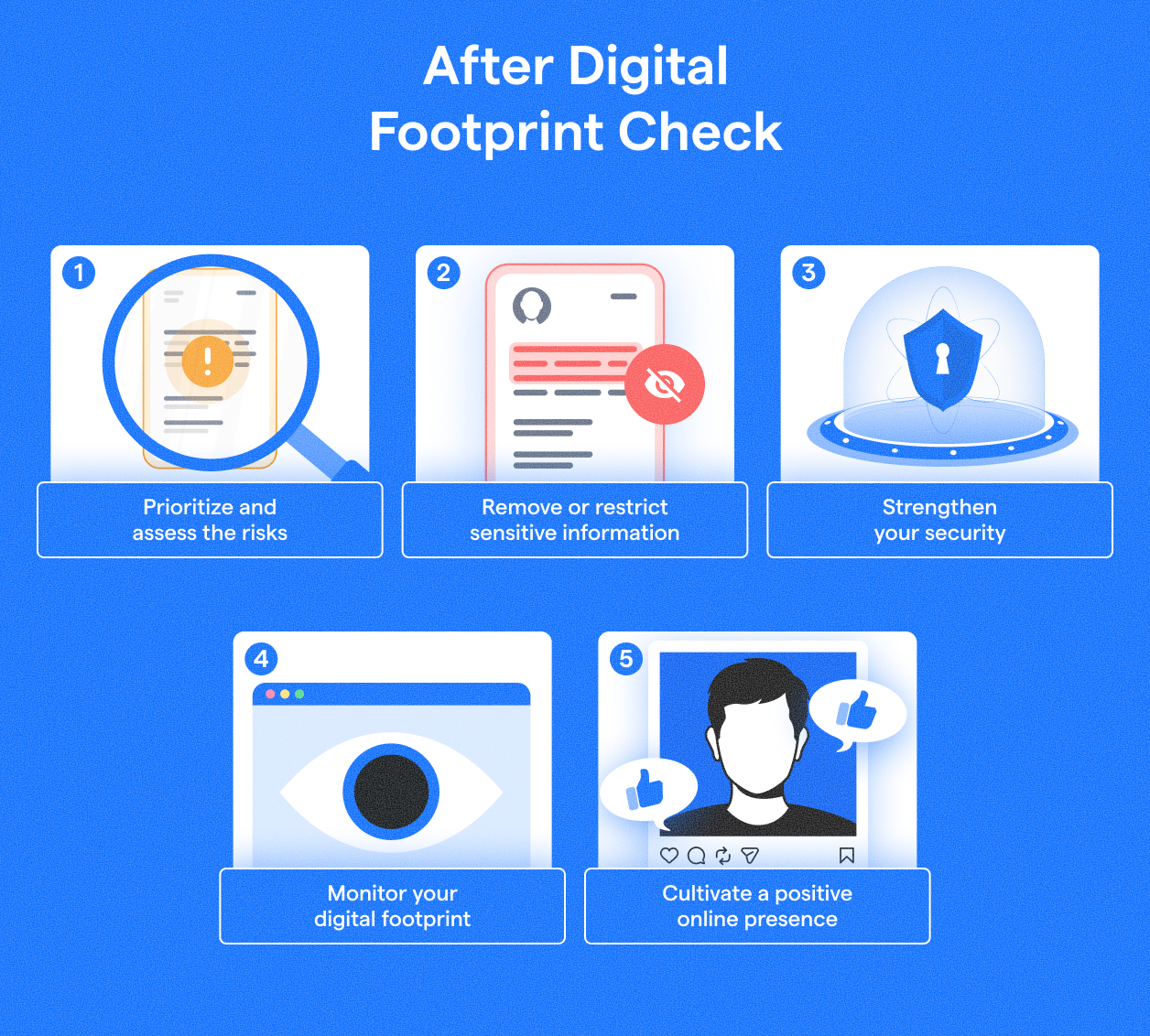
1. Prioritize and Assess Risks
Not all exposed information is equally dangerous. Focus on data that could lead to identity theft, financial fraud, or reputational harm, such as exposed passwords or sensitive personal details.
2. Remove or Restrict Sensitive Information
- Systematically opt out from identified data brokers, and even if it's often time-consuming (data may reappear, requiring periodic re-checks), it is definitely worth it.
- Delete forgotten social media and online accounts, and if inaccessible, report them for inactivity or impersonation.
- Strengthen privacy settings on active accounts to limit public visibility of posts, photos, and personal information.
3. Strengthen Your Security
- Immediately update compromised or weak passwords – use strong, unique passwords, ideally with a password manager.
- Enable Two-Factor Authentication (2FA) on all supported accounts for enhanced security.
- Be vigilant against phishing – your public information can be used for targeted attacks, and be skeptical of unsolicited requests for personal data.
4. Monitor Your Digital Footprint
Managing your digital footprint is ongoing; that is why it is important to regularly repeat these steps, especially data broker and breach checks.
5. Nurture a Positive Online Presence
Beyond removal, make sure to proactively create a positive online presence – share content reflecting your values and engage constructively to improve your online image.
FAQ
Can I check my digital footprint for free?
Yes, you can check your digital footprint for free. Start by searching your name, email addresses, and usernames on multiple search engines, then review social media profiles, old accounts, and public records. Free tools can also help identify data breaches and exposed personal information.
How often should I check my digital footprint?
You should check your digital footprint at least every few months. Regular reviews help you spot new data broker listings, forgotten accounts, privacy issues, or breach exposures before they become larger problems. More frequent checks are useful after a data breach or major online activity.
What if I find a profile I didn't create?
If you find a profile you did not create, it may be an impersonation account, outdated record, or incorrect data listing. Report the profile to the platform, request removal if possible, and monitor for signs of identity misuse. Taking action quickly can help limit reputational and security risks.


